Android · Free, with a one-time Pro
 Odova
Know what your car really costs. Odova does the maths.
Fill-ups, real fuel economy, spend and maintenance reminders for every vehicle you own. Start in seconds with just a nickname.
Metric or imperial · Any currency · No account needed
A look inside
What's inside
Everything you need to keep a vehicle running well.
Real fuel economy
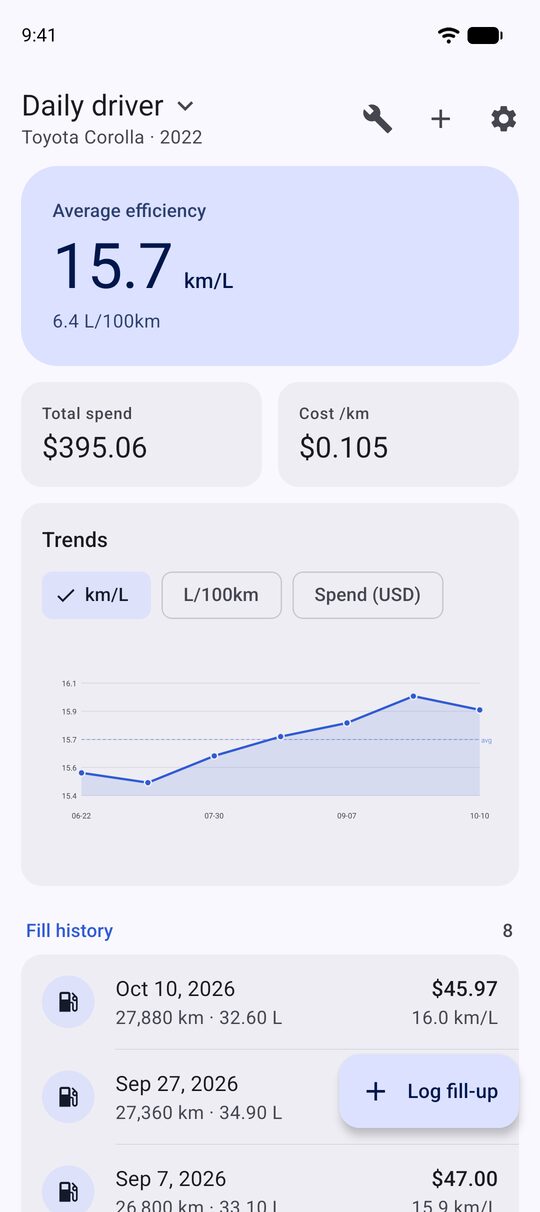
km/L and L/100km, or mpg, measured full-to-full, so partial fill-ups and gaps in your log don’t skew the numbers.
Fill-ups in seconds
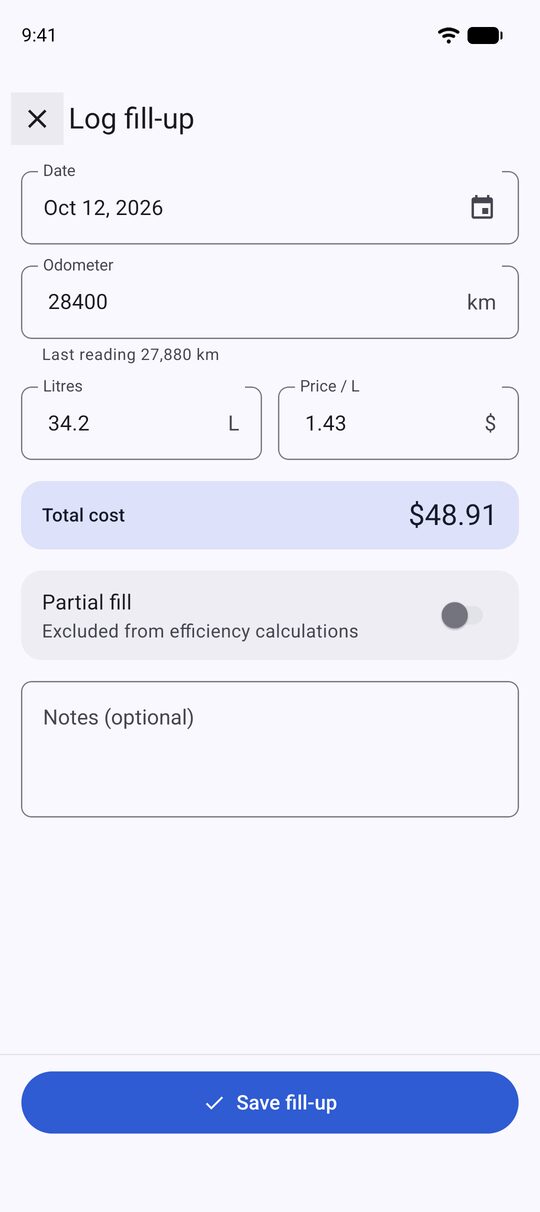
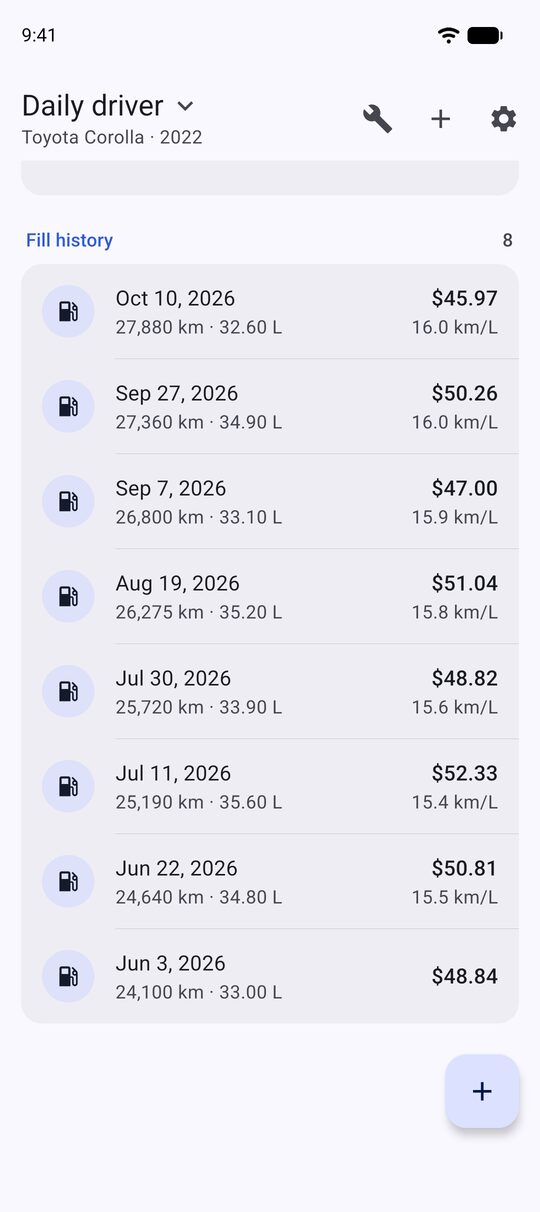
Enter odometer, litres and price and watch the total cost update as you type. Add past fill-ups in any order.
Spend and trends
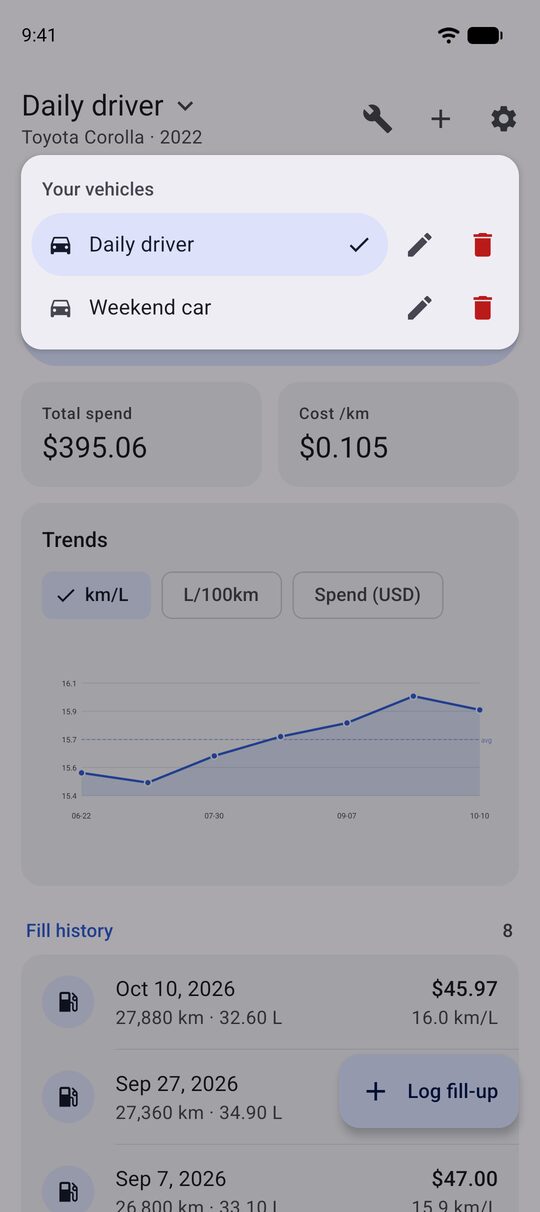
Total spend, cost per distance and efficiency charts show how your driving and fuel prices change over time.
Maintenance reminders (Pro)
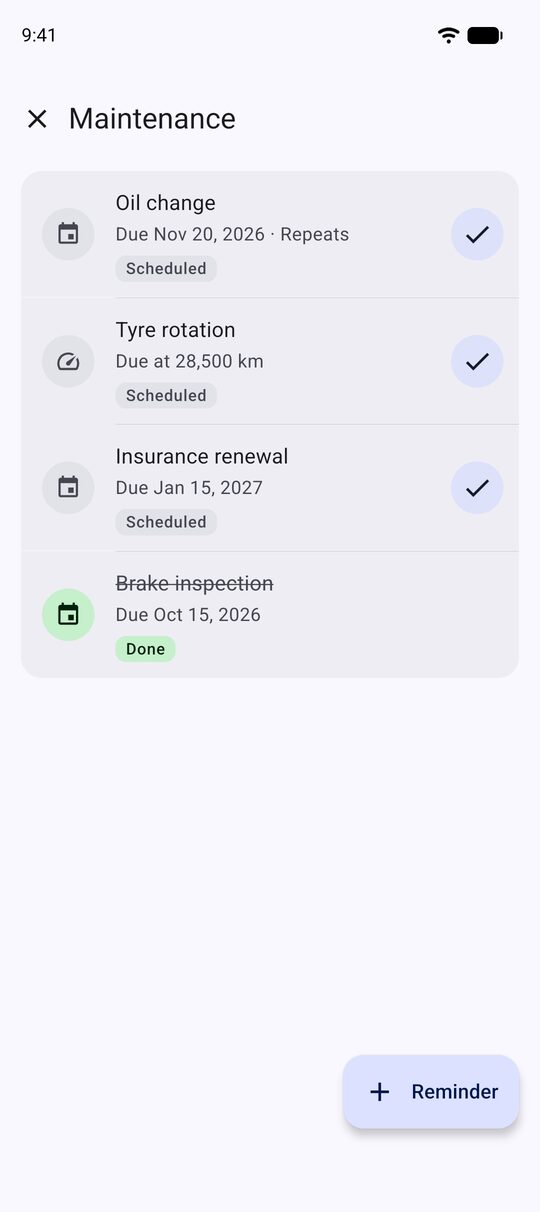
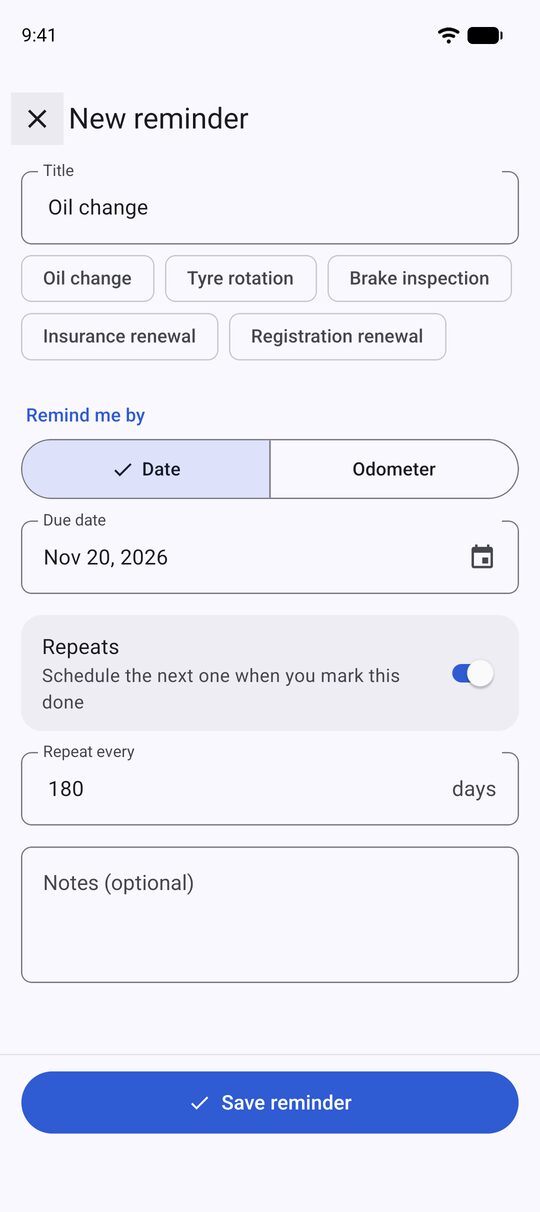
Oil changes, tyre rotations, insurance renewals. Remind by date or by odometer, and repeat every X days or km.
Every vehicle in one garage (Pro)
Switch between cars with a tap. The free version tracks one vehicle; Pro removes the limit.
Your units, your currency
Metric or imperial, nine currencies, and light or dark themes, whichever suits you.
How it works
Three steps, then just fill up.
- 1
Create a garage
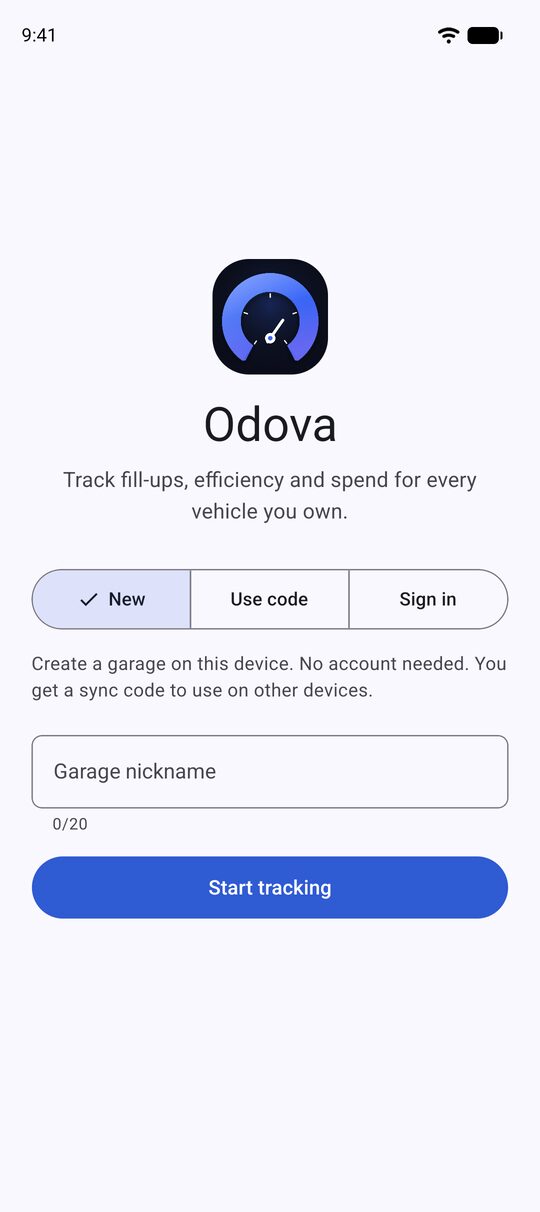
Pick a nickname. No account, no sign-up form.
- 2
Add your vehicle
Make and model are all it needs. The rest is optional.
- 3
Log fill-ups. Odova does the maths.
Efficiency, cost per distance and trends appear as you go.
Prefer a browser? The free web Fuel Tracker uses the same sync codes.
Free and Pro
Free to start. Pro when you need more.
Free
- One vehicle, with unlimited fill-ups you can edit or delete
- Fuel efficiency, cost per distance and charts
- Metric or imperial units and nine currencies
- A sync code to open your garage on another device
- Optional sign-in to restore your garage with an email link
- A small banner ad
Odova Pro
- Unlimited vehicles
- Maintenance reminders by date or odometer, repeating if you like
- CSV export of every vehicle’s fill-ups and reminders
- No ads
Pro is a one-time purchase through Google Play, not a subscription. You can restore it on a new device from the Pro screen at any time.
Your records stay under your control
- No account needed to start, just a garage nickname
- Your garage is saved under a private sync code so you can open it on another device
- Optional sign-in uses an email link, nothing more
- Delete all your data, or your account, from Settings
- The free version’s ads come from Google AdMob, and you choose your consent where it applies. Pro has none
Questions
Good to know
How does Odova work out fuel economy?
Efficiency is measured from one full tank to the next. Litres from any partial fill-ups in between count towards the next full one, so topping up before a trip doesn’t distort your average. Your overall figure is total distance divided by total litres, which keeps km/L and L/100km consistent.
Do I need an account?
No. Choose a garage nickname and start. You get a sync code that opens the same garage on another device. An email-link sign-in is optional if you would rather restore your garage that way.
What does Pro include, and what does it cost?
Pro adds unlimited vehicles, maintenance reminders, CSV export and no ads. It is a one-time purchase through Google Play rather than a subscription, and the price shows in your own currency in Google Play. You can restore it on a new device at any time.
Is there a web version?
Yes. The free web Fuel Tracker uses the same sync codes, so a garage you start on the web loads in the app and the other way round. The web version covers one vehicle; the extra features are in the app.
Can I delete my data?
Yes. In Settings, Delete all garage data removes your vehicles, fill-ups and reminders from our servers. If you signed in, Delete account removes the sign-in account itself. Use both for a complete removal.
Is there an iPhone version?
Not yet. Odova is on Android for now.