Android · Free
 PDFly
Your PDF toolbox. Private by design.
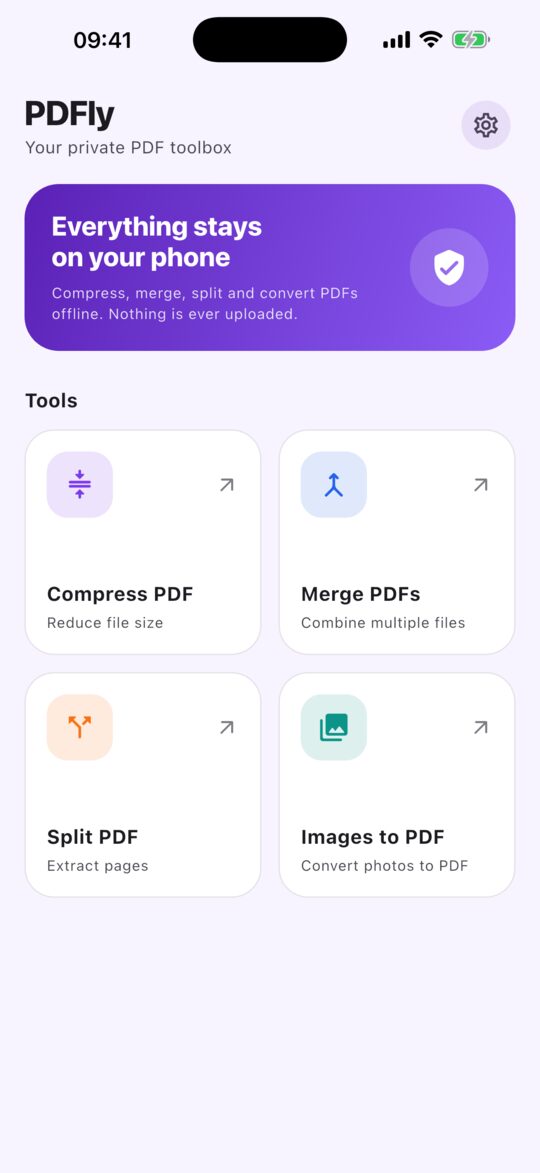
Compress, merge and split PDFs, or turn photos into a PDF. Everything happens on your phone, so your files are never uploaded and you never need an account.

No account · No uploads · Works offline
A look inside
What's inside
Four tools for the PDF jobs you do every week.
Compress
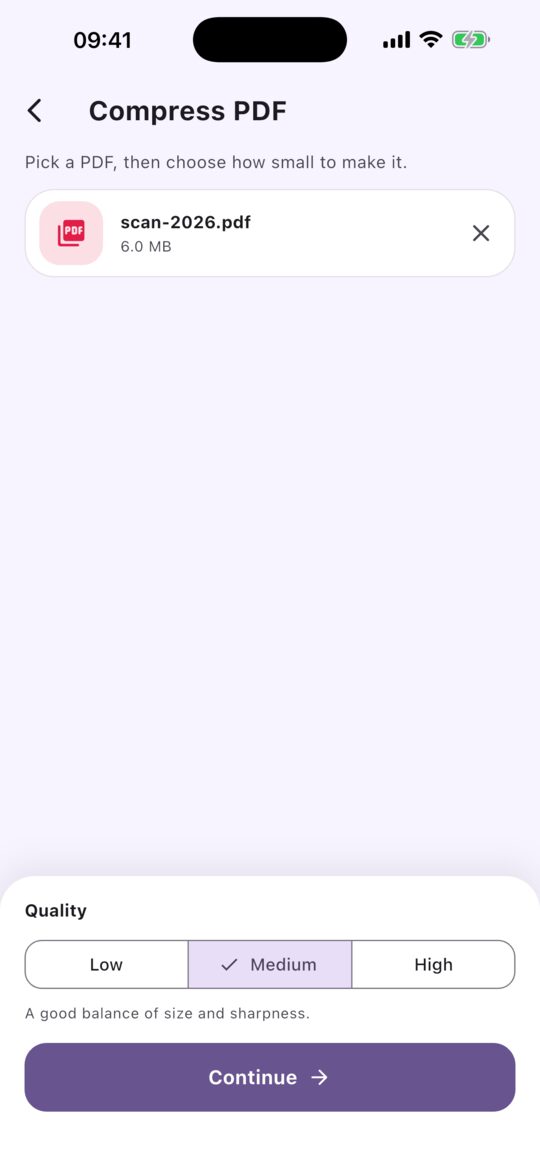
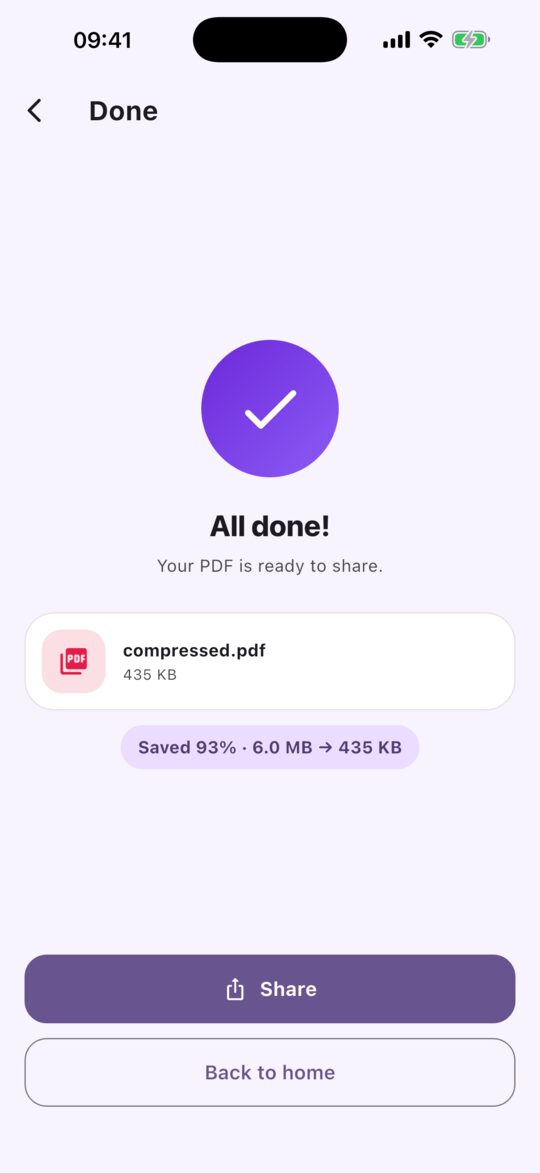
Make a large PDF small enough to email or upload. Pick Low, Medium or High quality, and see exactly how much you saved.
Merge
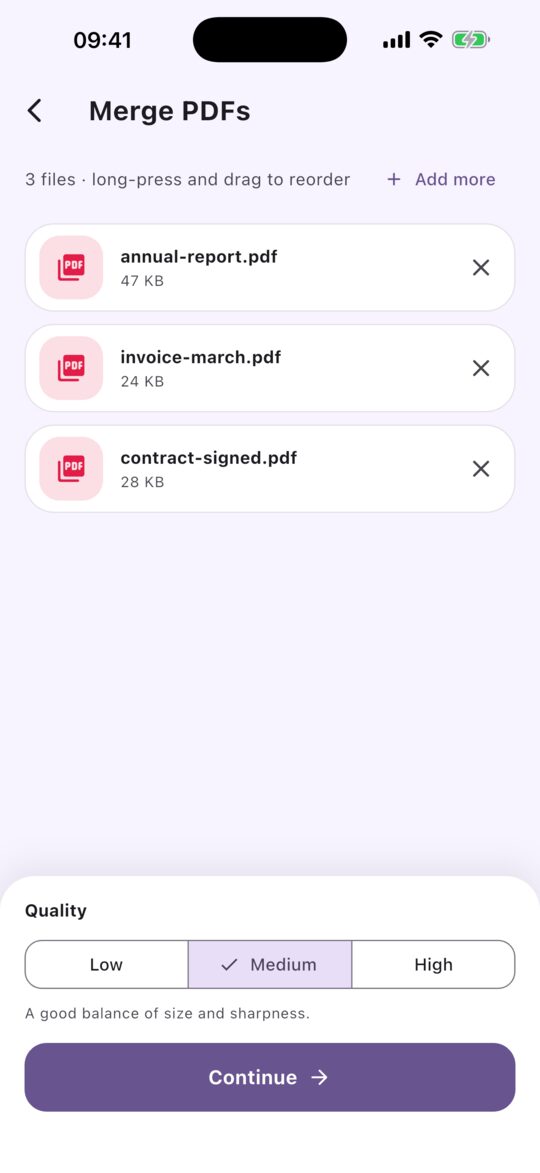
Combine several PDFs into one document. Drag them into the order you want and add more at any time.
Split
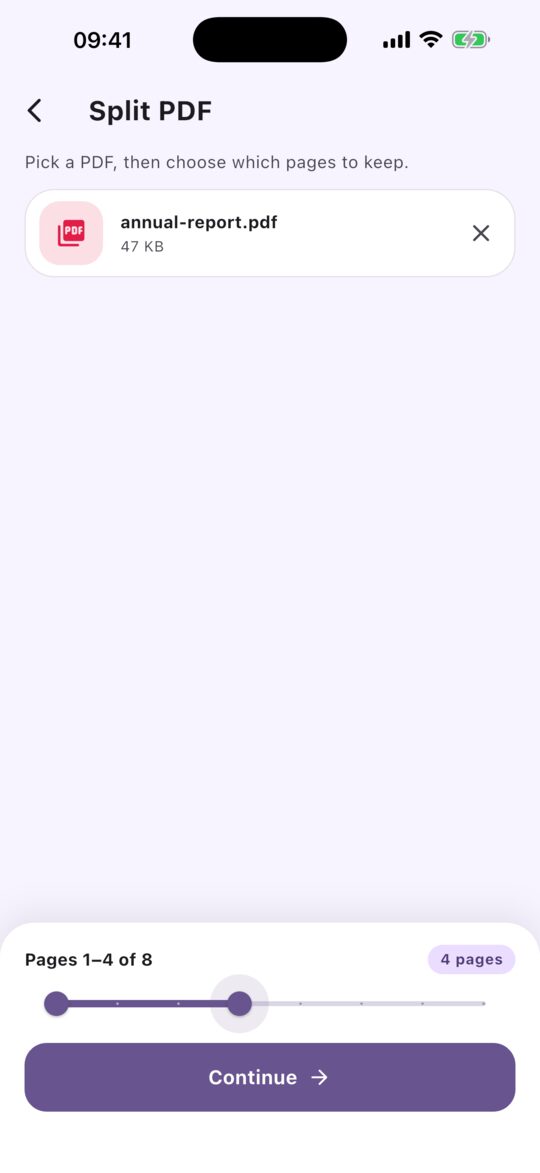
Pull out just the pages you need. Choose the first and last page with a simple slider.
Photos to PDF
Turn pictures from your library into a single PDF, one photo per page, in the order you choose.
Works offline
No connection needed. PDFly does its work on your phone, so it is fast and works on a plane.
Light and dark
A clean design that follows your phone, with a dark theme for night time.
How it works
Three taps from file to finished.
- 1
Pick a tool
Compress, merge, split or photos to PDF. One tap from the home screen.
- 2
Choose your files
Select PDFs from your files or photos from your library. Set the quality or page range.
- 3
Share the result
Send it to Mail, Messages or any app, or save it to your files.
Your files stay yours
- Your files never leave your phone
- No account and no sign-up
- No analytics inside the app
- Free, supported by ads that you can control in Settings